Option 1
Manual terminal setup
Clone the repo, install keyd, apply the keyd profile, then start the HUD. Use the Start section below for the exact commands.
Read the manual stepskeyd profile + live HUD for a 4x3 macro pad
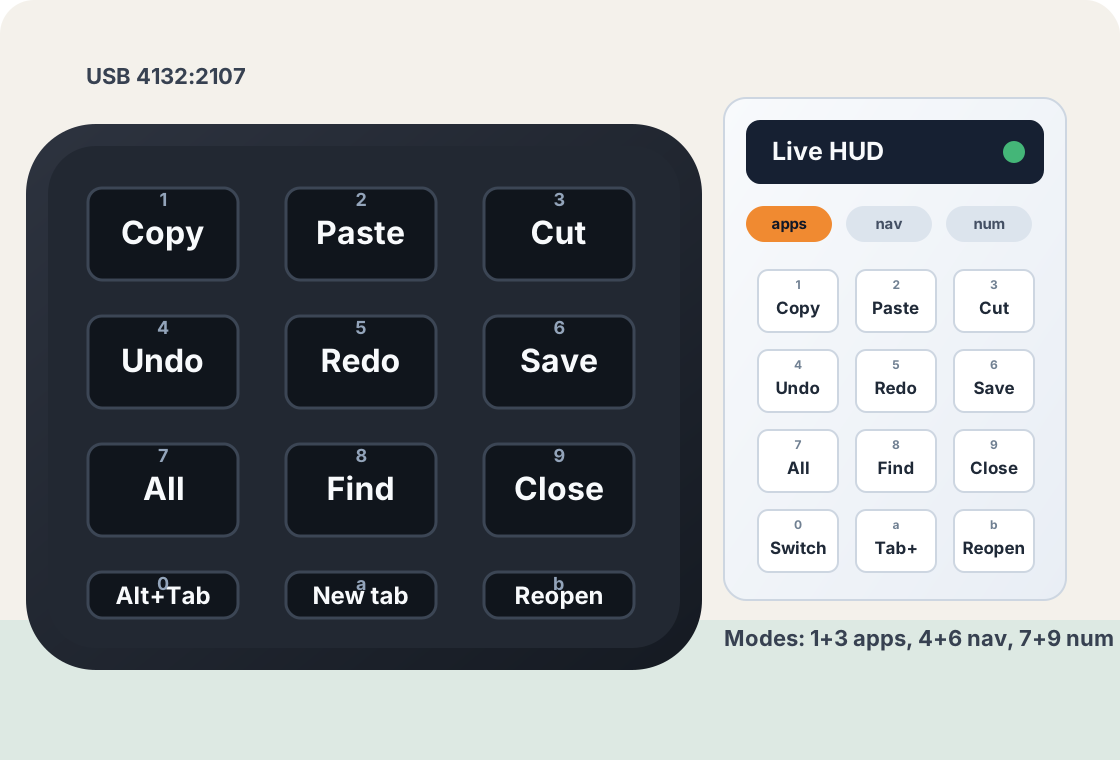
Turn the generic USB mini keyboard 4132:2107 into a modal macro pad:
application shortcuts, navigation keys, and a calculator-style number layer. The
companion HUD shows the active map, collapses when idle, and lets you edit mappings
without hand-writing keyd config.
Two ways to use it
Manual setup is the default path. If you already use web2local, this page can also trigger a small local helper for status checks, validation, logs, and HUD setup.
Clone the repo, install keyd, apply the keyd profile, then start the HUD. Use the Start section below for the exact commands.
Read the manual steps
Start web2local locally, then use this page to call
tools/web2local-minipad.sh. The helper only accepts
named actions, not free-form shell input.
python3 /home/lue/boring/web2local/daemon.pyAfter web2local is running, set the local checkout path and run one of the supported helper actions.
web2local output appears here.Quick start
The installer copies config/default.conf to /etc/keyd/,
restarts keyd so the default mode is clean, and installs the root helper used by
the HUD editor.
git clone https://github.com/LueApp/mini-keyboard.git
cd mini-keyboardsudo apt-get install -y keyd./install.shhud/install-hud.shMode guide
Press both outer keys of a row at the same time. Single taps still run their normal per-mode action; only the two-key chord changes mode.
Daily use
The panel hides when the configured USB pad is not connected.
After about 10 seconds, the HUD collapses to a small draggable mode dot.
Any pad activity or a click on the dot expands the full key map immediately.
Editing guideline
Click the edit control in the HUD, choose a mode, then click any key cell. The save
path writes through pkexec /usr/local/sbin/minipad-apply, validates the
keyd file, restarts keyd, and rolls back automatically if the daemon reports errors.
Select the mode pill you want to change, or add a new mode with its own two-key chord.
Pick a preset or type a raw keyd value such as C-c, up, 5, or macro(text enter).
The helper rejects symlinked input, inline comments, unsafe mode names, duplicate chords, and keyd command() bindings.
Troubleshooting
journalctl -eu keydsudo keyd.rvaiya monitorsg keyd -c 'keyd.rvaiya listen'python3 tools/keyout.py
Panic recovery: hold backspace + esc + enter to kill keyd and return raw input if keys ever wedge.